
What Is an SEO Audit? What It Checks and What It Costs

Updated: Nov 14
An SEO audit is a check of how well search engines can find, read and rank your website, ending in a list of what to fix first. This guide covers what an audit checks, how to audit a website for SEO yourself, what it costs, and how often to run one. If you would rather have one done for you, see our SEO audit services.

In this guide
What is an SEO audit?
An SEO audit is a review of how well search engines can find, understand and rank a website. People also call it a site audit, or a website audit for SEO. It checks the site's technical setup, its pages and content, the backlinks pointing to it from other sites, and how it shows up in local results and AI answers. It ends with a list of fixes, in the order to make them.
Three things an SEO audit is not:
Not a repair. At Capron Media, we treat an audit as an inspection. It tells you what needs work and how urgent it is. Making the changes is a separate step.
Not a tool score. A crawler can flag hundreds of warnings in a few minutes, and many of them will not change your rankings. The audit is the judgement that sorts them: which few matter on your site, and why.
Not a ranking guarantee. Rankings move when the fixes are made, not when the report arrives. See will an SEO audit improve my rankings?
SEO audit vs website audit: what is the difference?
An SEO audit and a website audit differ in scope. A website audit can cover design, security, accessibility, speed, conversions and SEO. An SEO audit, also called an SEO site audit or SEO website audit, looks only at what affects how a site shows up in search: whether pages can be crawled and indexed, how they are built and written, and which backlinks point to them from other sites.
Website audit | SEO audit | |
What it covers | Design, security, accessibility, speed, conversions and SEO | Crawling and indexing, each page's setup, content, backlinks, local results and AI answers |
The question it answers | "Why do people find my site but not buy?" | "Why can't people find my site?" |
A typical finding | A contact form that does not work on phones | Two of your pages competing for the same search |
A content audit is narrower again: it reviews each page's words and decides what to keep, update, merge or remove. See what a content audit covers.
Why is an SEO audit important?
An SEO audit is important because search problems can be invisible from the outside. A page can look fine and still be blocked from Google, compete with another of your own pages, or answer a question nobody asks. An audit finds those problems, ranks them by impact, and tells you which to fix first, so your time goes to the fixes that matter.
Most business owners and in-house marketing managers run one when something changes, when the site is not showing up on Google, or before they spend money on SEO work. The usual moments are listed under how often you should get an SEO audit.
What are the three types of SEO audit?
The three main types of SEO audit are technical, on-page and off-page. A technical audit checks whether search engines can reach and read your pages. An on-page audit checks each page's words, headings and internal links. An off-page audit checks the backlinks and brand mentions your site gets from other websites. Many audits now also cover content, local search and AI search, set out in the next section.
Type | What it checks | A typical finding | Go deeper |
Technical | Crawling, indexing, robots.txt, XML sitemaps, canonical tags, redirects, speed, mobile, HTTPS | A service page set to noindex, so Google never shows it | |
On-page | Titles, meta descriptions, headings, internal links, images | A page with no H1 heading | |
Off-page | Backlinks and brand mentions from other sites | Competitors have backlinks from local and trade sites that you do not |
What does an SEO audit check?
A full SEO audit, or SEO site audit, checks six areas: technical health, each page's on-page setup, content quality, backlinks from other sites, local listings if you serve an area, and visibility in AI answers. It also compares your site with the sites ranking above you, because that gap can show why they outrank you. That is what an SEO audit should include, whoever does it. When you audit a website for SEO, these are the questions to ask:
Area | What it checks | How to check it free |
Technical | Can search engines crawl and index every page you want found? | Google Search Console's Pages report; a crawler such as Screaming Frog |
On-page | Does each page have a clear title, one H1 and headings in the searcher's words? | View the page source, or a crawler's titles and headings report |
Content | Does each page answer one real search, without a second page of yours competing? | Search Console's queries for each page; search the question and read the top three results |
Backlinks | Which sites have backlinks to you, and to your competitors but not to you? | Search Console's Links report shows yours; competitors need a paid tool |
Local | Is your Google Business Profile complete, and do name, address and phone match everywhere? | Your Business Profile dashboard; search your business name |
AI answers | Do AI Overviews and chat tools name you for your customers' questions? | Ask them the questions yourself and note who is cited |
Technical SEO
Crawling and indexing: can search engines reach every page you want found? Our guide to tools that test website crawlability shows how to check, and how search engines crawl websites explains what the crawler does.
Sitemaps and registration: is the XML sitemap submitted to Google and Bing? See how to register your website with search engines.
Duplicate pages and canonical tags: does the same content live at more than one address, and does a canonical tag say which one counts? See whether repeated content hurts SEO.
Broken internal links and redirects: does every internal link lead to a working page in one step?
Speed and mobile: does the page load quickly and work on a phone? Google's Core Web Vitals measure this.
Hosting and HTTPS: is the site served securely, and does the server respond reliably? See what hosting actually changes for SEO.
The full technical SEO audit checklist is in our technical SEO audit guide.
On-page SEO audit
Titles, meta descriptions and headings: does each page say plainly what it is about, in the words people search with? See what an on-page SEO check covers.
One H1 per page: a page with no H1, or several, makes its main topic harder to read.
Internal links: do your pages link to each other in a way that shows what is related?
Images: does each image have alt text that describes it?
The basics every page needs: see how to make a site SEO compliant.
Content
Search intent: does the page answer what the searcher wants, in the form they expect? See the golden rule of SEO.
One page per search: is each important search answered by one page, not two of yours competing?
Coverage: are there questions your customers ask that no page on your site answers? See what to do after keyword research and what content-led SEO is.
Freshness: are dates, prices and facts still true?
A content audit, sometimes called a site content audit, runs these checks on every page.
Off-page, local and AI search
Backlinks: a backlink audit, also called a link audit, asks which sites have backlinks pointing to you, whether they are relevant, and how they compare with your competitors' backlinks.
Local: for a business that serves an area, the Google Business Profile, reviews and NAP listings. See the local SEO audit guide.
AI answers: whether Google's AI Overviews and tools like ChatGPT mention you for the questions your customers ask.
What should an SEO audit report give you?
A good SEO audit report gives you a short list of fixes in priority order. Each finding should name your actual pages, keywords and competitors, show the evidence, say what to change and who can change it, and say why it matters to enquiries or sales. It should also say what it could not check, so a gap in the data is not mistaken for a clean result.
A finding should name | Why |
The page or pages affected | A finding with no page named cannot be acted on |
The keywords and competitors involved | A report that names neither is a template, not an audit of your site |
The evidence | You can check it yourself, or show it to whoever makes the fix |
The fix | So you know whether it is a five-minute edit or a project |
Who can make it | You, your web developer or IT, so each fix lands on the right desk |
The priority, and why it matters | So the few changes that affect enquiries and sales come first, in terms your boss can read |
What was not checked | So a missing account or blocked page is not read as "no problems" |

To see what that looks like on a real site, read our SEO audit report example, which shows a sample report's format, finding by finding.
An SEO audit example
When we audited our own blog in late October 2026, we checked all 94 live posts on capronmedia.com against Search Console and keyword data. 48 had no recorded target search, and 22 were competing with another of our own pages for the same search, in 8 groups; one pair was this guide and our own SEO audit page. A site audit in early November found four pages, Pricing, About, Contact and Blog, with no H1 heading. The audit tells you what to fix and in what order; the fixing is separate. We then rewrote the posts in waves and merged some into related posts. In November 2026, we moved this guide to its own address, so it answers what an SEO audit is and our service page answers who does one. The full SEO audit example shows every finding and how to read them, or you can order the full SEO Audit.
Is there an SEO audit template?
Yes. An SEO audit template is a ready-made list of checks, or a report layout, that you fill in for your own site. Our SEO audit checklist works as one: it lists every check in order, with how to do each one free.
How do you do an SEO audit?
To do an SEO audit, work in order: confirm search engines can reach the site, crawl it for errors, check speed and mobile, review each important page, compare your content with what ranks, check your backlinks, check AI answers, then sort the findings by impact. The same steps work whether you call it an SEO audit, a site audit or a website audit. The SEO audit process below follows that order.
A short SEO audit checklist
Here is how to perform an SEO audit, or conduct a website audit, step by step:
Check what Google already knows. In Google Search Console, open the Pages report to see which pages are indexed and why others are not.
Check your sitemap and robots.txt. Make sure the XML sitemap is submitted in Google and in Bing Webmaster Tools, and that robots.txt does not block pages you want found.
Crawl the site. A crawler visits every page the way a search engine does and lists broken internal links, redirect chains, noindex tags and duplicate pages.
Check speed and mobile. Run your main pages through PageSpeed Insights and look at the Core Web Vitals report in Search Console.
Review each important page. Title, meta description, one clear H1, headings that match what people search, alt text, and internal links to related pages.
Look for pages competing with each other. If two of your pages show up for the same search, decide which one should own it.
Compare your content with what ranks. Search your main question and read the top three results. Note what they answer that you do not.
Check your backlinks. See which sites have backlinks to you, and which have backlinks to competitors but not to you.
Check AI answers. Ask Google and ChatGPT the questions your customers ask. Note who gets named and cited.
Put the findings in order. Sort by impact and effort, and write down who will make each fix.
For every check, with how to do each one free, see the full SEO audit checklist.
How do you do an SEO audit in Google Search Console?
To do an SEO audit in Google Search Console, work through its Pages, Sitemaps, Performance, Core Web Vitals, HTTPS and Links reports, and the Manual actions and Security issues reports under Security & Manual Actions. Then use URL inspection on any page that looks wrong. If your site has fewer than 500 pages, Google says you "probably don't need to use" the Pages report; a site: search and URL inspection cover it. Search Console is free, and it shows how Google itself sees your site, which no outside tool can.
Search Console report | What to look for |
Pages | Pages you want found that are not indexed, and the reason Google gives |
Sitemaps | Your XML sitemap submitted, with no errors |
Performance | The searches each page shows up for, and its average position (Google says position is a rough guide, not an exact rank) |
Core Web Vitals | Pages Google rates Poor or Need improvement (a small site may show no data) |
HTTPS | Indexed pages still on http:// instead of https://, and why |
Links | Your most-linked pages, and which sites have backlinks to you |
Security & Manual Actions | Any manual action (a penalty after human review) or security issue Google has flagged |
URL inspection | For one page: whether it is indexed, when Google last crawled it, and which canonical Google chose |
If your traffic has suddenly dropped, start with the dates. Our guides to recovering a website that is losing traffic and what to do when a Google core update hits cover that case.
Can you do an SEO audit yourself?
Yes, you can do an SEO audit yourself. A DIY SEO audit for beginners can start with free SEO audit tools. Google Search Console, PageSpeed Insights and a site crawler will catch the obvious problems. The hard part is judgement: knowing which of the issues a tool flags will actually change your rankings, and which can wait.
A paid audit adds that judgement, plus the parts free tools do not cover well: a comparison with competitors, a review of backlinks, and a check of AI answers. Our free SEO audit tool shows what to fix first; the full SEO Audit covers every finding, checked by a person. If a fix needs changes to code or hosting, your web developer or IT makes it, so note who owns each one.
Which tools are used for an SEO audit?
These tools cover most of an audit. The last two rows are ours: a limited free SEO audit tool, and the paid full audit. Prices and limits are from each company's own site, in US dollars, as of November 12, 2026; they change, so check before you buy.
Tool | Includes | Limits | Leaves out | Price |
Google Search Console | Google's own view of your site: indexing, the searches you show up for, which sites link to you, and errors | Your own verified sites only; 16 months of search data | It does not crawl your site for you; no data on competitors | Free |
Bing Webmaster Tools | The same for Bing, plus Site Scan, an on-demand site audit that crawls your site | Your own verified sites only; Site Scan has a monthly quota that Bing sets per site | Data on competitors | Free |
PageSpeed Insights | Lighthouse scores for performance, accessibility, best practices and SEO, plus Core Web Vitals from real Chrome visitors | One page per run; real-visitor data only for public pages with enough traffic | The rest of your site | Free |
Screaming Frog SEO Spider | A crawl that checks for over 300 SEO issues | Free version: 500 URLs per crawl | Free version: saving crawls, JavaScript rendering, custom extraction and API integrations | Free up to 500 URLs; $279 a year per user |
Sitebulb | A crawl with 100+ hints, JavaScript crawling, and Search Console and Analytics integration | Lite: 10,000 URLs per audit; Pro: 500,000 | Lite: scheduled audits and audit comparisons | Lite $18 a month, Pro $42; 14-day free trial |
Semrush Site Audit | 140+ checks, inside a full SEO suite | Free account: one project; paid plans audit 20,000 to 100,000 pages at a time | JavaScript rendering only on the two highest plans (Pro+ and Advanced) | Free account; paid $139 to $299 a month; 7-day free trial |
Ahrefs Site Audit | 170+ technical and on-page issues | Ahrefs Free: verified sites only, 5,000 crawl credits a month per project | Ahrefs Free: sites you cannot verify you own | Free for your own sites; paid from $29 a month |
Capron Media free check (our free SEO audit tool) | What to fix first across the site, on its home page and in its local results: the top three of each | Your own site at any time; up to three other sites, each once every 30 days; if the day's checks are full, yours waits until the next day | Competitors and gaps, AI answers, the teardown and PDF, and your own Search Console and Analytics data | Free, with a free Lite subscription |
Capron Media full SEO Audit | Every finding, page by page; local results in full; competitors and gaps; AI answers; a teardown and PDF; your own Search Console and Analytics data if you connect them; written for the reader you choose; checked by a person | Delivered in 3 to 5 business days from when payment is confirmed and your business details are complete | Making the changes (Starter does that) | $250, paid once; rush in 1 to 2 business days for $100 more |
We compare more of them, with what each is good at, in SEO audit tools compared.
Can ChatGPT do an SEO audit?
ChatGPT can help with parts of an SEO audit, not the whole thing. It can read a page you paste in, explain a warning from a tool, and suggest clearer titles. It cannot see your Search Console data unless you export it, it is not a site crawler, and it can state things that are wrong. Check what it tells you.
Free SEO audit vs paid SEO audit
A free SEO audit usually shows your biggest issues and stops there. A paid, comprehensive SEO audit goes through every page and finding, compares you with competitors, and ends with a full plan. Start with a free website audit to see whether there is anything worth fixing, and pay when you want the whole list.
Kind of audit | Includes | Limits | Leaves out | Price |
A free SEO audit tool (a quick SEO audit or health check) | A score and a list of warnings, in a minute or two | Often one page, or a capped number of pages; no person reads it | What the warnings mean for your site, which matter most, and your competitors | Free |
A do-it-yourself audit with free tools | Everything Search Console, PageSpeed Insights and a crawler can show you | Your time, and tool caps such as Screaming Frog's free 500 URLs | Competitor and backlink data from paid suites, and a second opinion | Free, plus your time |
A do-it-yourself audit with a paid tool | A full-site crawl, plus keyword, competitor and backlink data from a suite such as Semrush or Ahrefs | Your time and judgement, and each plan's caps, such as 20,000 to 100,000 pages per audit on Semrush's paid plans | Someone to tell you which findings matter on your site, and making the fixes | From $18 a month (Sitebulb Lite) to $299 a month (Semrush Pro+), as of November 12, 2026; see the tools table |
A professional SEO audit from an agency or consultant | Every page and finding, competitors, and a plan in priority order | Depends on the provider; ask what it will not check | Usually making the fixes | Varies by provider; get the price in writing first |
A free website health check is a fair place to start, as long as you remember a score is not a plan.
At Capron Media, our free SEO audit tool comes with a free Lite subscription, and the full SEO Audit is ordered in your portal.
Free check | Full SEO Audit | |
What to fix first across the site | Top three | Every finding |
Your home page | Top three | Page by page |
Local results | Top three | In full |
Competitors and gaps | Locked | Included |
AI answers | Locked | Included |
Teardown and PDF | Locked | Included |
Data it uses | Public data, so there is nothing to connect | Public data, plus your own Search Console and Analytics data if you connect them |
Which sites | Your own at any time, plus up to three others, each once every 30 days | Any site: yours, a client's or a competitor's |
Who checks it | Drafted and checked automatically | A person approves it before it reaches you |
Delivery | If the day's free checks are full, yours waits until the next day | 3 to 5 business days, or 1 to 2 for $100 more |
Price | Free, with a free Lite subscription | $250, paid once |
From Capron Media: the free Lite subscription

Before an audit, get a short, plain read
See what to fix first across your site, on its home page and in its local results. Lite does not include the work on your site. Starter does.
How much does an SEO audit cost?
An SEO audit costs nothing if you do it yourself with free tools, about $18 to $299 a month if you use a paid SEO tool, and $250, paid once, for the full SEO Audit from Capron Media. Agency and consultant prices vary, so ask for the price in writing before the audit starts.
What changes the cost of an SEO audit:
The size of the site: more pages take longer to crawl and read.
How deep it goes: a technical check alone costs less than one that also covers content, backlinks, competitors and AI answers.
Who reads it: a tool's list of warnings costs less than a person deciding which ones matter.
How fast you need it: at Capron Media, rush delivery in 1 to 2 business days is $100 more.
See what the full SEO Audit covers before you order.
How long does an SEO audit take?
An SEO audit takes minutes when a tool crawls a small site, and days when a person reads the results and writes the plan; a large site takes longer. At Capron Media, the full SEO Audit is delivered in 3 to 5 business days, or in 1 to 2 with rush delivery. The time starts once your payment is confirmed and your business details are complete.
What makes an SEO audit take longer:
More pages: each one has to be crawled and read.
More ground: content, backlinks, competitors and AI answers take longer than a technical check alone.
Waiting on access or answers: connecting Search Console and Analytics, or answering questions about the business.
A person reading it: a tool's list of warnings arrives in minutes, and a person's priorities take days.
How long after an SEO audit do you see results?
You see results from an SEO audit only after the fixes are made, and only once Google has crawled the changed pages again. Google says crawling "can take anywhere from a few days to a few weeks." You can ask Google to recrawl a changed page with URL inspection in Search Console, though a request is not a promise. Rankings can take longer to settle; see how long SEO takes to work.
How often should you get an SEO audit?
How often you need an SEO audit depends on how much changes. For a small business website, we at Capron Media suggest a full SEO audit about once a year, plus one before a redesign or platform move, and one after a sudden drop in traffic. Between audits, keep watching what changed, so a new problem does not wait a year.
Get an audit sooner if:
your traffic or rankings dropped and you do not know why;
you are about to redesign the site or move platforms (see website redesign mistakes that destroy rankings);
your site shows up in search, but for the wrong searches;
you have never had one.
Between audits: SEO monitoring. Monitoring is the light, regular check that runs between full audits: where you rank, what moved, and whether a new problem appeared. Our guide to SEO monitoring covers the tools. After an audit, a free Lite subscription keeps showing what on your site needs fixing and what changed since the last check.
Does an SEO audit cover AI search?
Yes, a current SEO audit should cover AI search. AI answers such as Google's AI Overviews and ChatGPT now answer many questions before anyone clicks. An AI SEO audit, sometimes called an AI visibility audit or AEO audit, checks whether AI crawlers can read your site, whether your pages answer questions plainly enough to be quoted, and whether AI answers name you for the questions your customers ask.
SEO is not being replaced; it is widening. Google's AI Overviews mostly cite sites that already rank. In a July 2025 study of 5,000 keywords, Semrush found AI Overviews cited a site from Google's top 10 for the same search about 86% of the time, and a page from that top 10 about 67% of the time. So much of the work that gets a page into Google's top 10 is the same work that gets it cited there.
The full SEO Audit from Capron Media includes AI answers; our free SEO audit tool does not.
Will an SEO audit improve my rankings?
An SEO audit will not improve your rankings on its own. It tells you what to fix; rankings change when the fixes are made, starting with the ones that matter most. You can make them yourself, hand the report to your web developer or IT, or have someone make them for you.
At Capron Media, the audit report ends with what to do next. If you want the changes made for you, the Starter subscription makes them on the site you already own. If the audit points to a larger piece of work, it can be quoted as a separate SEO project. If you would rather make the changes yourself, start with how to improve SEO on your website.
How do you choose who does your SEO audit?
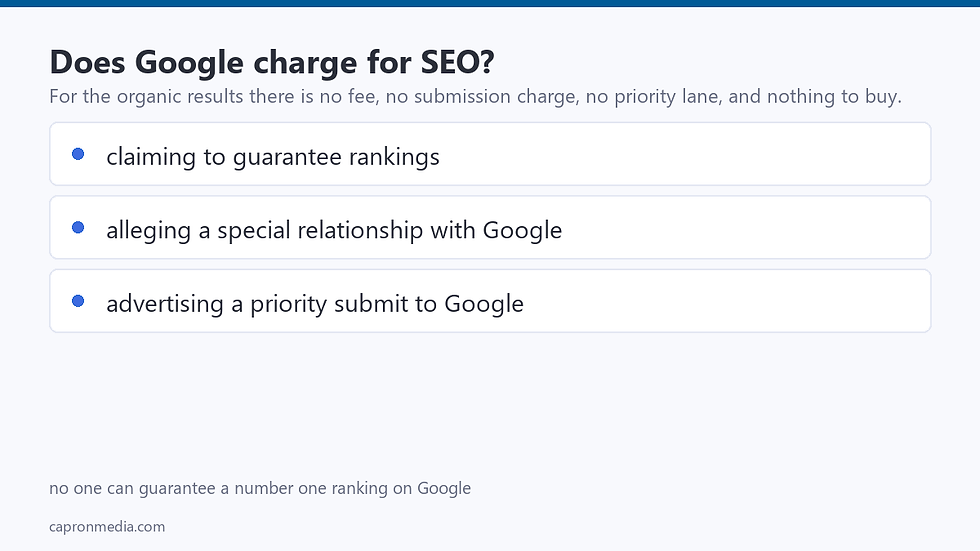
To choose who does your SEO audit, ask to see a sample report before you pay. A good provider shows findings tied to your named pages, keywords and competitors, puts them in order, gives the price in writing, says what data it could not see, and has a person check the report. Be wary of anyone promising rankings by a date: Google says "No one can guarantee a #1 ranking on Google."
Ask | A good answer |
Can I see a sample report? | Yes, with findings tied to pages and put in order |
Will the report name my pages, keywords and competitors? | Yes, by name. A report that names none of them is a template, not an audit of your site |
What would you check first on my site? | A specific answer about your site, before you pay |
What will it cost, and what does that cover? | A price in writing, before the audit starts |
Who reads the results? | A person reviews the report before you get it |
What can you not see? | They say which data was missing or limited |
What access do you need? | Possibly none: some audits, including ours, can run on public data alone. If an audit does need your accounts, you should be asked for read-only access, added for the provider's own account (never your password). In Google Analytics that is the Viewer role. In Search Console it is a Restricted or Full user, never an Owner. You can remove it yourself at any time. |
Where do your numbers come from? | A named source for every ranking, volume or estimate |
Can I speak to past clients? | Yes. Google itself advises checking an SEO's references |
What happens after? | The report ends with next steps, and says who can make the fixes |
If you want one done for you, see our SEO audit services: start with our free SEO audit tool, then order the full audit when you want everything.
Guides to the parts of an SEO audit
Each guide below goes deeper on one part of an SEO audit. New guides are added here as they are published.
Part of the audit | Guide |
Kinds of audit: Technical | |
On-page | |
Content | |
Backlinks | |
Local | |
Competitors | |
Doing the audit: Checklist | |
Checklist | |
Tools | |
Tools | |
Report | |
Example | |
Crawling and indexing: Crawling | |
Crawling | |
Indexing | |
Search Console status | |
Search Console status | |
Search Console status | |
Search Console status | |
Search Console status | |
Search Console status | |
Search Console status | |
Search Console status | |
Duplicate content | |
Hosting | |
Pages and content: On-page | |
Content | |
Content | |
Keywords | |
How search works | |
When something changes: Redesigns | |
Site moves | |
Traffic drops | |
Core updates | |
Between audits |
If you want a first look before you buy anything, see your own site first: our free SEO audit tool shows the top three things to fix. If you would rather talk first, book a free call about your site.
From Capron Media: the free Lite subscription

Want the full audit? Order it in your portal
On Lite you can also order an SEO Audit, from your portal. Lite does not include the work on your site. Starter does.

Written by Spencer Capron, founder of Capron Media, a Middleborough, Massachusetts SEO service for small business owners. Spencer is HubSpot SEO II certified, holds CompTIA Security+, and has run recurring SEO programs for 30+ small-business clients. He wrote this post in collaboration with our AI agents, and he reviews everything published here.


Comments